
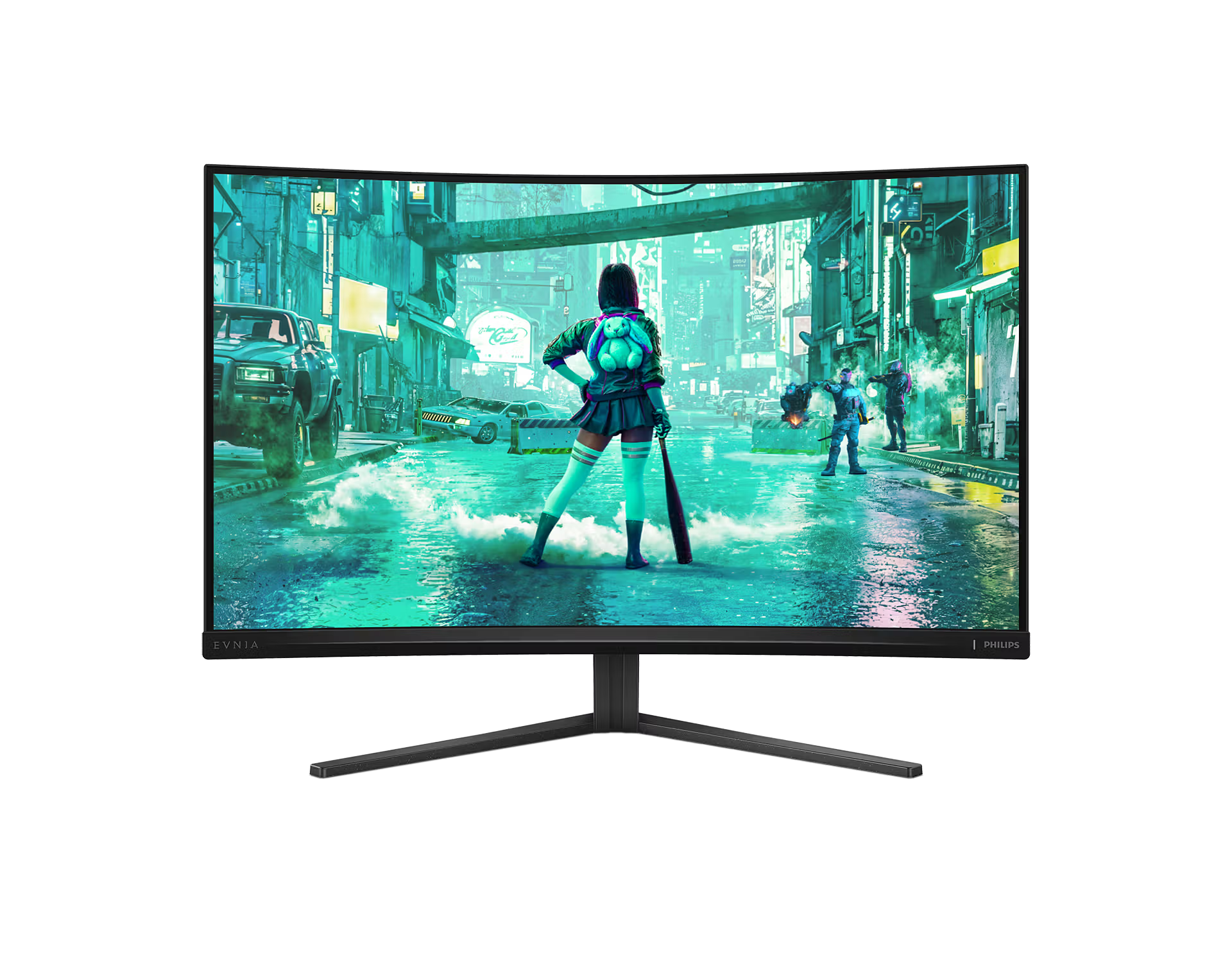
Choosing a gaming monitor involves more than comparing screen sizes or looking for the highest refresh rate. For everyday play, they need to consider how clearly motion appears, how comfortably the screen presents different types of content, and how well the display fits into a gaming setup. At Evnia, they focus on practical performance, visual comfort, and features that support consistent use. Understanding these factors helps gamers and retailers evaluate good PC gaming monitors according to real gaming needs rather than specifications alone.
Refresh Rate and Response Time Shape Motion Clarity
Fast-paced games place different demands on a display than strategy titles or casual simulation games. When players track moving targets, turn quickly, or react to changing scenes, the monitor’s refresh rate and response time influence how clearly motion is presented.
Refresh rate, measured in hertz (Hz), indicates how many times the screen can refresh each second. A higher refresh rate can make movement appear smoother, provided the graphics card and game can deliver sufficient frames. Response time describes how quickly pixels change between shades or colours, which can affect visible trailing and smearing.
When evaluating good PC gaming monitors, they recommend considering these specifications together rather than treating either as an isolated measure of quality. A high refresh rate is useful, but its practical value depends on the games being played, the computer hardware, and the display’s motion-handling performance.
Evnia 32M2C3200WL provides a practical example. This 31.5-inch Full HD gaming monitor features an overclockable refresh rate of 260Hz and a typical grey-to-grey response time of 1ms. These specifications are particularly relevant to players who prioritise responsive motion in fast-action titles.
Resolution, Screen Size, and Contrast Must Work Together
Screen size determines the physical viewing area, while resolution describes the number of pixels used to construct an image. Neither specification should be assessed without considering viewing distance and graphics performance.
A larger screen can make interfaces, environments, and visual details easier to view, but resolution also affects how finely those details are rendered. Buyers should therefore compare pixel density, desk space, and the computer’s ability to maintain the desired frame rate before selecting a display.
For many players, Full HD remains a practical option when smooth gameplay takes priority over maximum image detail. Higher resolutions may be preferable for visually detailed adventures, creative applications, or users who want more desktop workspace, although they can require greater graphics processing power.
Contrast is another important consideration. It influences the distinction between dark and bright areas, helping scenes retain visible depth. VA panels, including the panel used in the Evnia 32M2C3200WL, can offer relatively high native contrast, making them worth considering for games with shadowed environments.
When comparing good PC gaming monitors, they advise matching screen size and resolution to the intended use rather than assuming that a larger display or higher pixel count is automatically the best choice.
Adaptive Sync and Low Input Lag Support Responsive Play
Visual smoothness depends on more than the monitor’s maximum refresh rate. When a graphics card produces frames at a rate that does not align with the display’s refresh cycle, players may notice screen tearing or inconsistent presentation.
Adaptive Sync technology helps coordinate the display’s refresh behaviour with compatible graphics output. This can reduce tearing and contribute to smoother gameplay when frame rates fluctuate. Buyers should check compatibility with their graphics hardware and understand the supported operating range of the particular monitor.
Low input lag addresses a different issue. It reduces the delay between a computer sending an image and the display presenting it. This is especially relevant in competitive games, where quick reactions and precise control matter. However, overall responsiveness also depends on the computer, game processing, peripherals, and network conditions in online play.
At Evnia, they treat these technologies as complementary elements of the gaming experience. The 32M2C3200WL includes Adaptive Sync and low-input-lag support, giving buyers practical features to consider when assessing display responsiveness.
Picture Modes and Comfort Features Matter Beyond Gaming
A monitor may spend hours displaying games, but everyday use can also include browsing, streaming, communication, and work. Flexible image settings therefore contribute to its overall usefulness.
Game-specific picture presets can adjust image presentation for different genres. For example, first-person shooter settings may emphasise visibility in darker areas, while racing presets can apply adjustments suited to fast-moving scenes. Such modes should be treated as customisation tools rather than guarantees of improved performance.
The Evnia 32M2C3200WL offers SmartImage game modes, ShadowBoost, and Smart Crosshair. These features provide options for adjusting visibility and presentation according to individual preferences. Their usefulness depends on the game, the environment, and how each player prefers to configure the display.
Comfort deserves similar attention. LowBlue Mode and flicker-free technology are designed to support more comfortable viewing during extended sessions. They do not eliminate every cause of eye fatigue, so sensible brightness settings, regular breaks, and suitable viewing distance remain important.
For retailers and buyers comparing good PC gaming monitors, these everyday features can help distinguish a display designed around practical usability from one evaluated solely by headline performance figures.
Connectivity, Adjustability, and Software Complete the Setup
A gaming monitor must work reliably within the wider desktop environment. Before purchasing, users should confirm that its inputs support their computer, graphics card, and intended operating settings.
The Evnia 32M2C3200WL includes two HDMI 2.0 ports and one DisplayPort 1.4 connection. It also supports VESA mounting, allowing compatible monitor arms or mounts to be considered when planning a workspace. Its stand supports tilt adjustment, which can help users establish a more comfortable viewing angle.
Software can also simplify routine adjustments. Evnia Precision Center provides customisation options for supported Evnia displays, helping users manage monitor settings according to their preferences. Buyers should verify software compatibility and the available functions for their particular model.
These practical details are easy to overlook when comparing good PC gaming monitors, yet they affect installation, daily operation, and how easily a display fits into an existing setup. Checking connections, mounting requirements, and adjustment options before purchase can prevent avoidable compatibility problems.
Make Everyday Gaming Choices With Evnia
Selecting a suitable gaming monitor means balancing motion clarity, resolution, contrast, responsiveness, comfort, and connectivity. The right combination depends on the games being played, available hardware, workspace, and individual priorities rather than any single specification.
At Evnia, they bring these considerations together through gaming displays that combine performance-focused features with practical customisation options. The 32M2C3200WL illustrates this approach with its high refresh rate, curved VA panel, Adaptive Sync, and dedicated gaming features.
Explore the Evnia 32M2C3200WL and compare its specifications with your gaming requirements to find a display that fits your setup and everyday play.
